
A Postgres client for Mac that reads your Drizzle and Prisma schemas.
Run qdeck in your project. QueryDeck detects your ORM, connects in one command, and exposes your database to Claude Code through a built-in MCP server. Also speaks MySQL, SQLite, and MongoDB. $79 once.
Launch offer — Lifetime at $79 for the first 10 customers, then $149. Try QueryDeck free for 14 days. No card required.
Already convinced? Get Lifetime for $79 →
 PostgreSQL
 MySQL
MySQL SQLite
 MongoDBPostgreSQLMySQLSQLiteMongoDB
 Drizzle
 Prisma
 TypeORM
 Knex
Knex Django
 ActiveRecord
 SequelizePostgreSQLMySQLSQLiteMongoDBDrizzlePrismaTypeORMKnexDjangoActiveRecordSequelize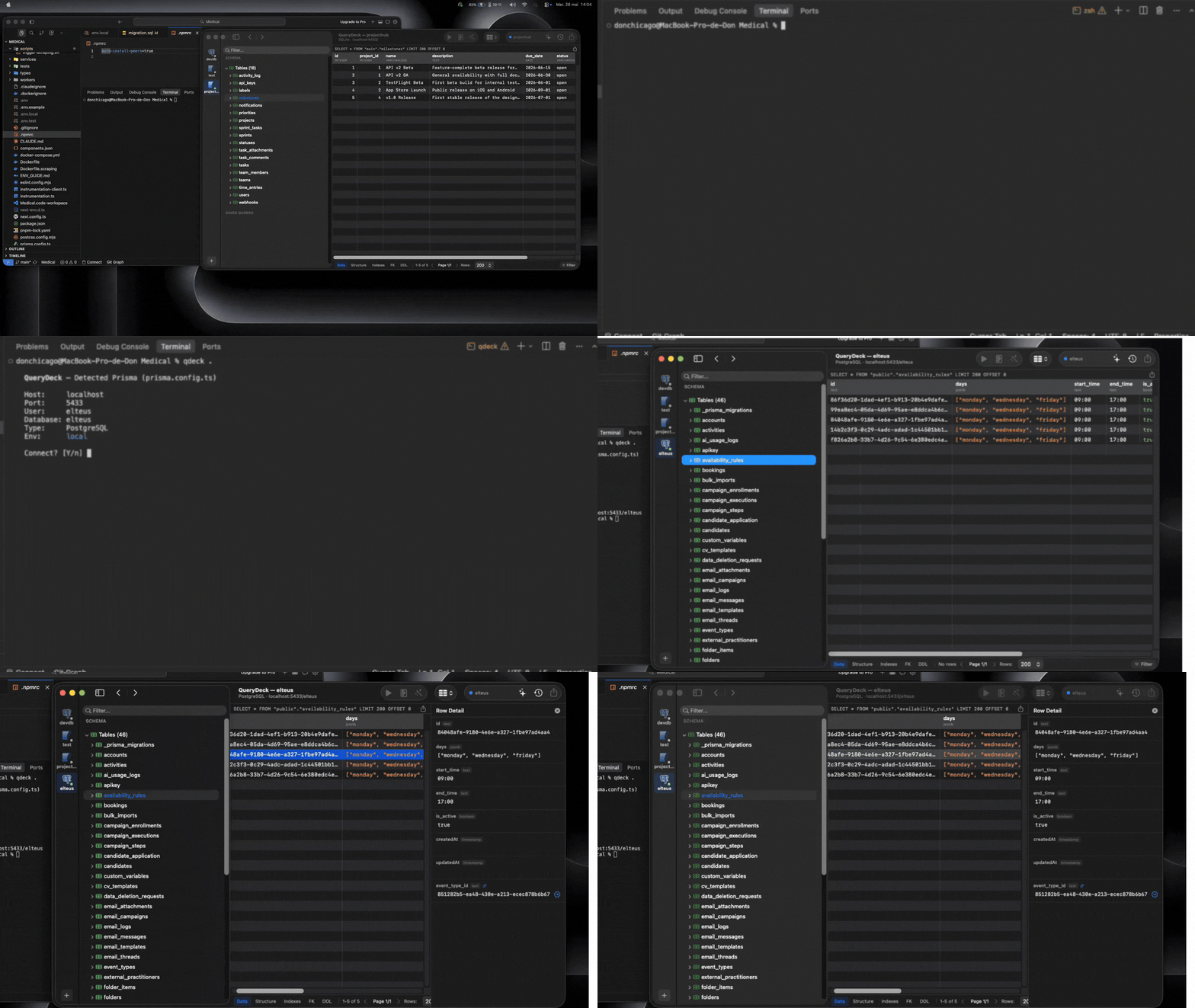
Reads your ORM config
Drizzle and Prisma first. Also TypeORM, Knex, ActiveRecord, Django, and Sequelize. One command in your terminal, zero copy-pasting connection strings.
SQL notebooks, not just tabs
Mix SQL, Markdown, and results in one document. Export to PDF. Share with your team.
Swift & AppKit, $79 once
No Electron, no subscription. Per-user license for all your Macs. Direct connection, your data never leaves your machine.
Your ORM models and the live database drift apart. QueryDeck keeps that comparison visible in a dedicated read-only view: Drizzle Kit can compute code-vs-DB changes through `push`, while Prisma detects development drift through `migrate dev`. Drift Mode also covers TypeORM, ActiveRecord, and Django. Knex and Sequelize get auto-connect but no Drift Mode.
Your database becomes a tool for Claude Code, Cursor, and any MCP client. Schema, queries, and table introspection — exposed as native tools.
Reproduce a production bug locally without cloning production.
Pick the row that reproduces the issue and choose Bring to Local…. QueryDeck follows the required relationships, reviews sensitive fields with you, sanitizes the selected dataset, and provisions a local PostgreSQL snapshot you can debug safely.
How Local Snapshot works →Stop copy-pasting connection strings. QueryDeck reads your Drizzle or Prisma config first (deepest support), plus TypeORM, Knex, ActiveRecord, Django, and Sequelize, and connects instantly.
FROM events
WHERE created_at > now() - INTERVAL '30 days';
SQL + Markdown + results in one document. The Jupyter notebooks for databases. Export to PDF, share with your team.
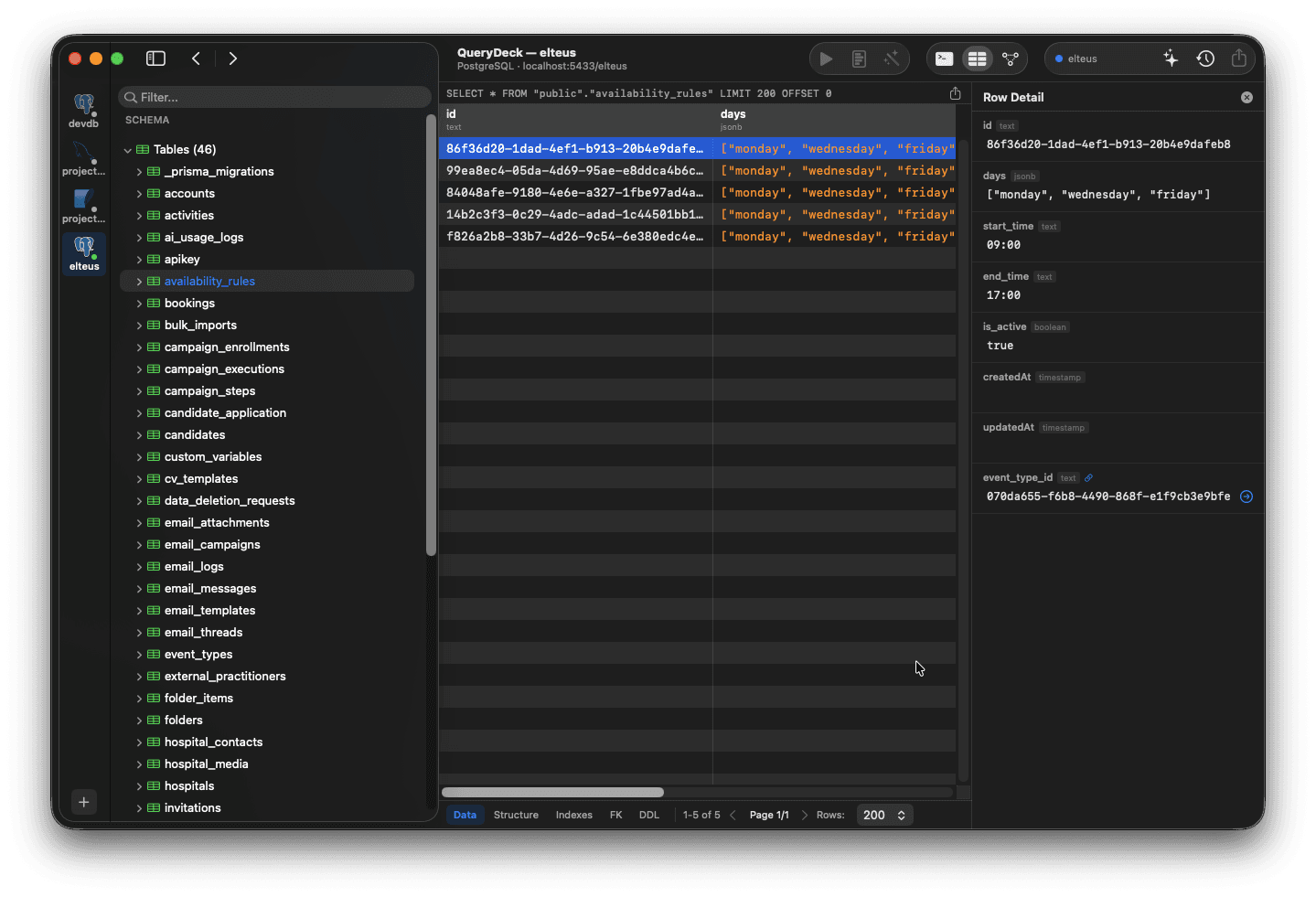
Browse, filter, and edit rows inline. Click any foreign key to navigate. DataGrip-style snippet autocomplete in the SQL editor.
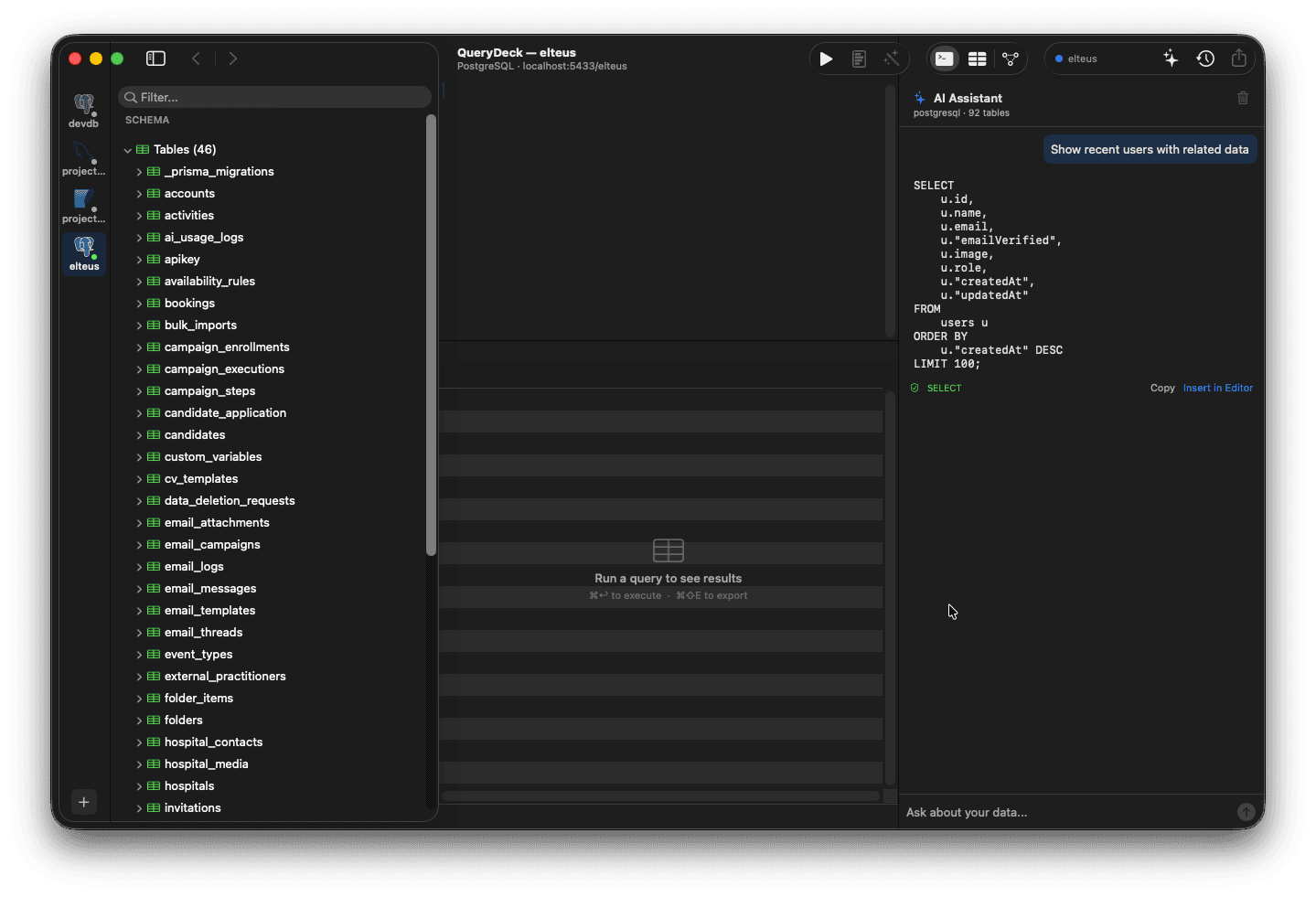
Ask in plain English, get SQL. Copy or insert directly into the editor. BYO API key, local Ollama, or zero-config on-device AI.
Color-coded connections
Assign colors to each environment. Production is red. Always.
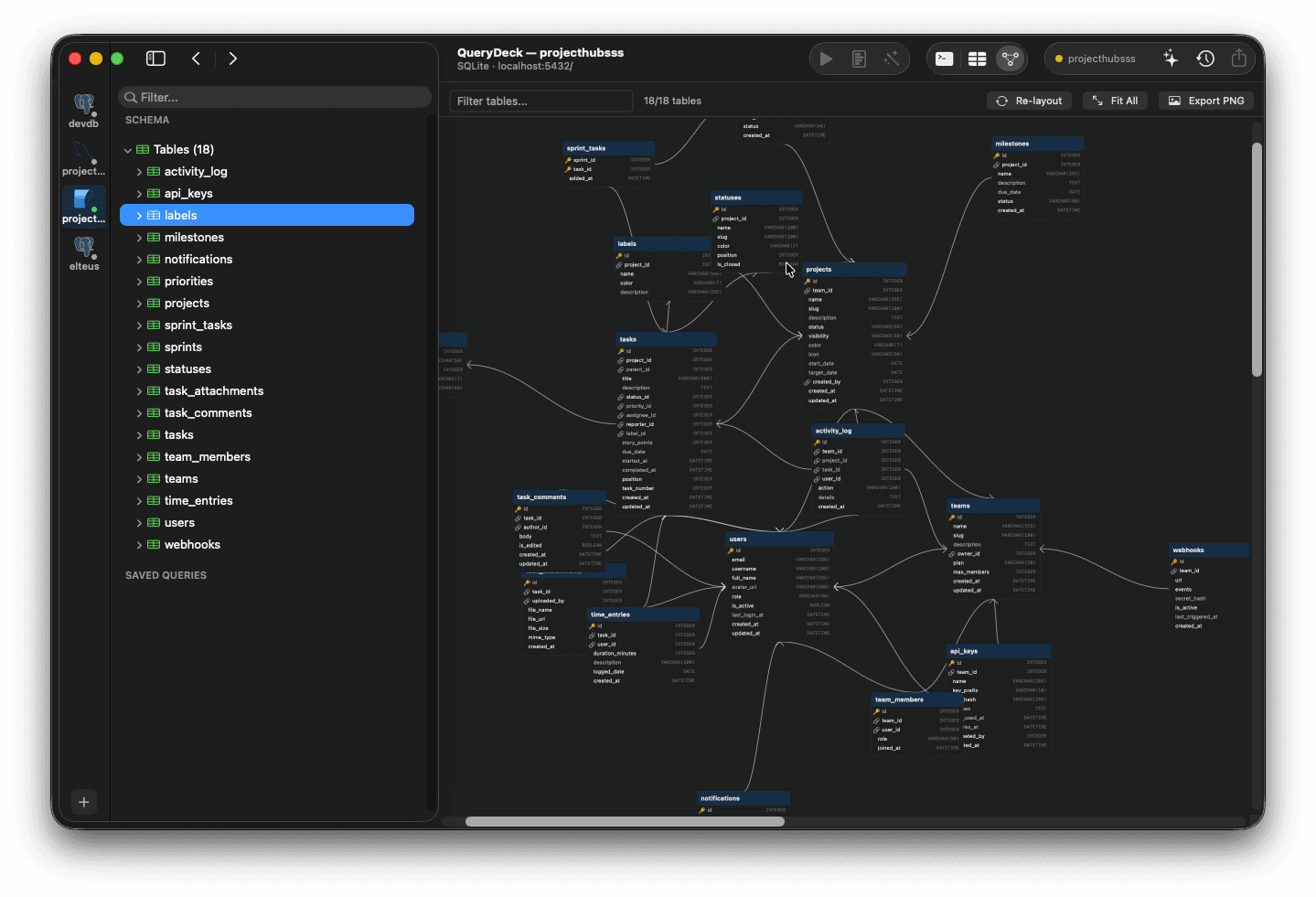
Auto-generated ERD
Entity-relationship diagrams from your schema. Export as PNG.
Touch ID
Gate production access behind biometrics.
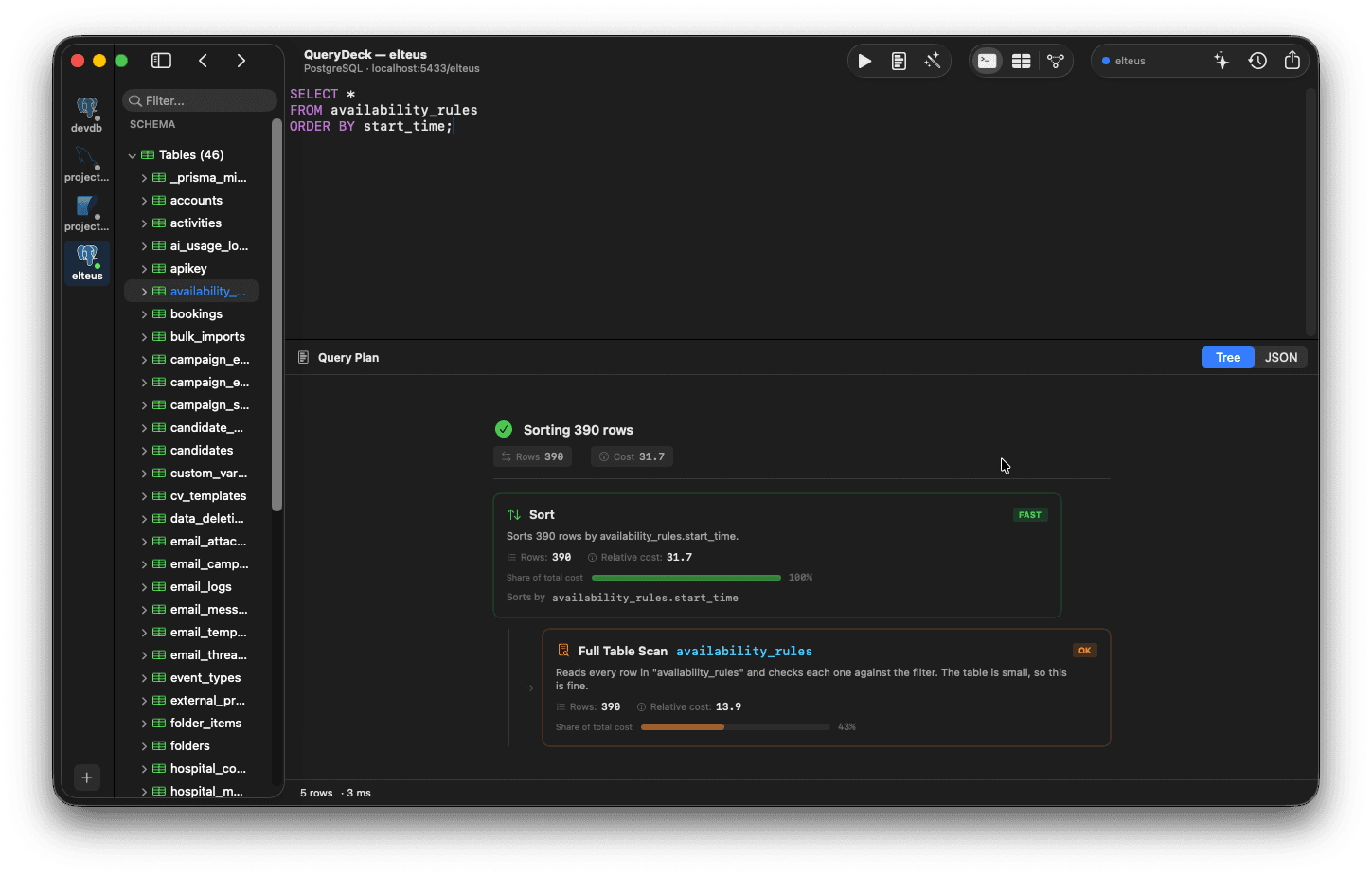
EXPLAIN ANALYZE
Visual query plan with severity badges and optimization tips.
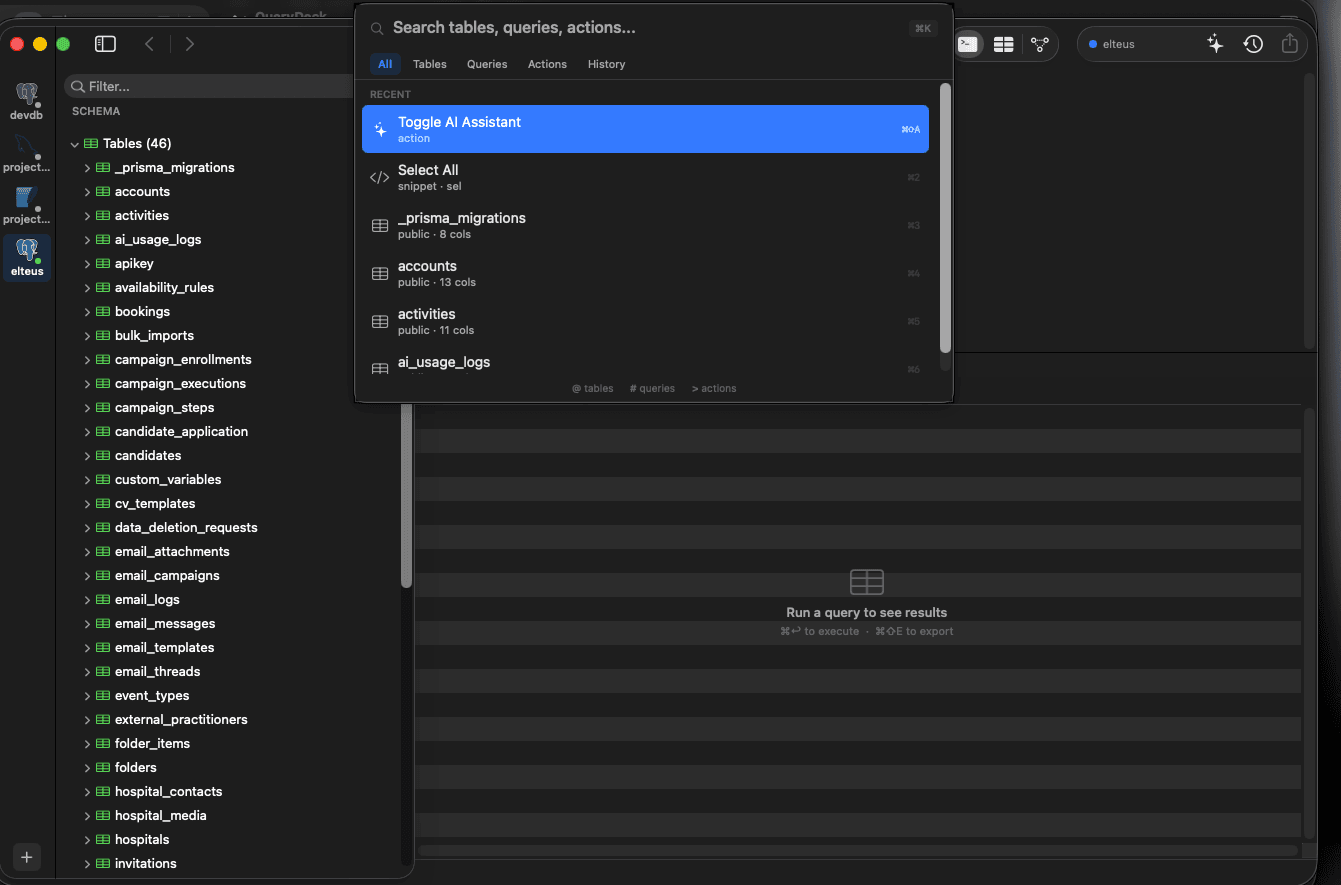
Everything in one keystroke
Cmd+K to search tables, queries, actions, and history. Fuzzy match with frecency ranking. Prefix filters for power users.
Try QueryDeck free for 14 days.
Launch offer: Lifetime at $79 for the first 10 customers, then $149. Try it free for 14 days, no card required.
“Schema drift between ORM and prod is one of those quiet incidents that only bites at 3am. A native client that catches it in your terminal before you ship is the kind of tool I've been waiting for.”
WHY TIMESTAMP / TIMESTAMPTZ MATTERS · POSTGRESQL WIKI · DON'T DO THIS
Your database client sees tables. QueryDeck sees your project.
Open a Prisma or Drizzle project, let QueryDeck detect the connection, inspect the schema, and catch drift before it ships.
Watch the 30-second demo$79 once.
- → Per-user license, use on all your Macs
- → 14-day free trial with full features
- → PostgreSQL, MySQL, SQLite, MongoDB
- → AI-assisted SQL included
- → Free updates on your version, forever
Launch offer: Lifetime at $79 for the first 10 customers, then $149.
Already convinced? Get Lifetime for $79 →
Which ORMs does the CLI auto-detect?
Auto-connect works for 7 ORMs: Drizzle, Prisma, TypeORM, Knex, Django ORM, ActiveRecord, and Sequelize. Run `querydeck` in your project directory and it reads the config automatically.
Which ORMs does Drift Mode actually parse?
Drift Mode has 5 schema parsers today: Drizzle, Prisma, TypeORM, Django ORM, and ActiveRecord. Drizzle and Prisma get the deepest support because that is where the drift gap is widest. Knex and Sequelize auto-connect today but don't have Drift Mode parsers.
What does Drift Mode actually catch?
Missing or extra columns, column type drift (with smart canonicalization across ORM and database dialects), nullability mismatches, default value drift, missing or extra simple indexes, missing or extra foreign keys, and column-level enum type drift. It also skips known false-positive sources: client-side defaults (UUID, CUID, NANOID, ULID), type aliases (timestamptz vs timestamp with time zone), and PK-implied unique indexes.
What does Drift Mode NOT catch (yet)?
Functional or expression indexes are compared as raw column names. Check constraints, triggers, rules, and generated columns are not modeled. Index onDelete and onUpdate behavior changes are ignored. Partial index WHERE clauses are intentionally skipped (this is what avoids the false positives Prisma's migrate diff produces). Views are filtered out. Custom types like PostGIS geometry depend on each ORM parser.
What are query notebooks?
Interactive documents mixing SQL cells, Markdown notes, and inline results. Think Jupyter, but for databases. Export to PDF or HTML to share with your team.
What databases does QueryDeck support?
PostgreSQL, MySQL, SQLite, and MongoDB. Four databases, one native macOS app.
Does QueryDeck require a subscription?
No. Lifetime is $79 for the first 10 customers, then $149. Per-user license, use on all your Macs.
Is my data sent to the cloud?
No. Direct connection from your Mac to your database. The optional AI assistant sends only your schema, never your rows. Use Ollama or on-device AI for fully offline mode.
What is Local Snapshot / Bring to Local?
On PostgreSQL, select a real row and choose Bring to Local. QueryDeck follows the related foreign-key context, lets you review privacy transforms, then creates a sanitized local PostgreSQL snapshot for reproducing the bug without turning production into your dev environment.
Is QueryDeck built with Electron?
No. Built with Swift and AppKit. No Java, no Electron, no embedded browser. Sub-second launch, under 200 MB RAM.
Drizzle vs Prisma in 2026: what actually breaks in production.
Read →Schema drift: what drizzle-kit and prisma migrate diff miss.
Read →Postgres MCP server for Claude Code and Cursor.
Read →Best MCP servers for databases: five shapes, where each breaks.
Read →Why most database MCP servers are wrong.
Read →All features: CLI, Drift Mode, Local Snapshot, MCP, notebooks, PostGIS.
See features →drizzle-kit check vs push vs pull vs migrate: what each command actually checks
A practical Drizzle Kit guide to check, push --explain, pull, generate, and migrate: which commands inspect the live database, which inspect migration history, and where schema drift can still hide.
9 min readorm-guidesPrisma db pull vs db push vs migrate dev vs migrate deploy
A practical Prisma 7 guide to db pull, db push, migrate dev, and migrate deploy: which direction data flows, whether migrations are created, where drift is checked, and which command belongs in production.
10 min readtool-comparisonsDataGrip Alternatives: 5 Lighter, Faster Database Tools for Mac
Looking for a DataGrip alternative on Mac? Compare 5 lighter, faster database clients — native apps, free options, and AI-powered tools that skip the JVM overhead.
15 min readStop context-switching. Start building.
CLI auto-connect. Drift detection. Local snapshots. $79 once. 14-day free trial.